

How to Leave a Review for a Pro
Review a pro on fixam.pro or in the app: stars, a few words and a 6-digit SMS code to confirm your number. Your phone number is never shown.
Your review helps the next customer choose, and it helps a good pro get more work. You can leave a review on fixam.pro or in the FixAm app. It takes a couple of minutes: pick the stars, write a few words, and confirm with a 6-digit code sent to your phone. You do not need an account.
Write your review
- Open the pro's profile. Find them through Search if you do not have the link.
- Tap Leave a Review.
- Choose your stars, from 1 to 5.
- Type your name. This is the name other customers will see, so a first name and an initial is fine.
- Type your phone number. It is only used to send you the code.
- Say what the job was. On the website the box is Service Performed, in the app it is Job Type. For example "Fixed kitchen sink".
- Write your Comment. Say what went well, what did not, and whether you would hire them again.
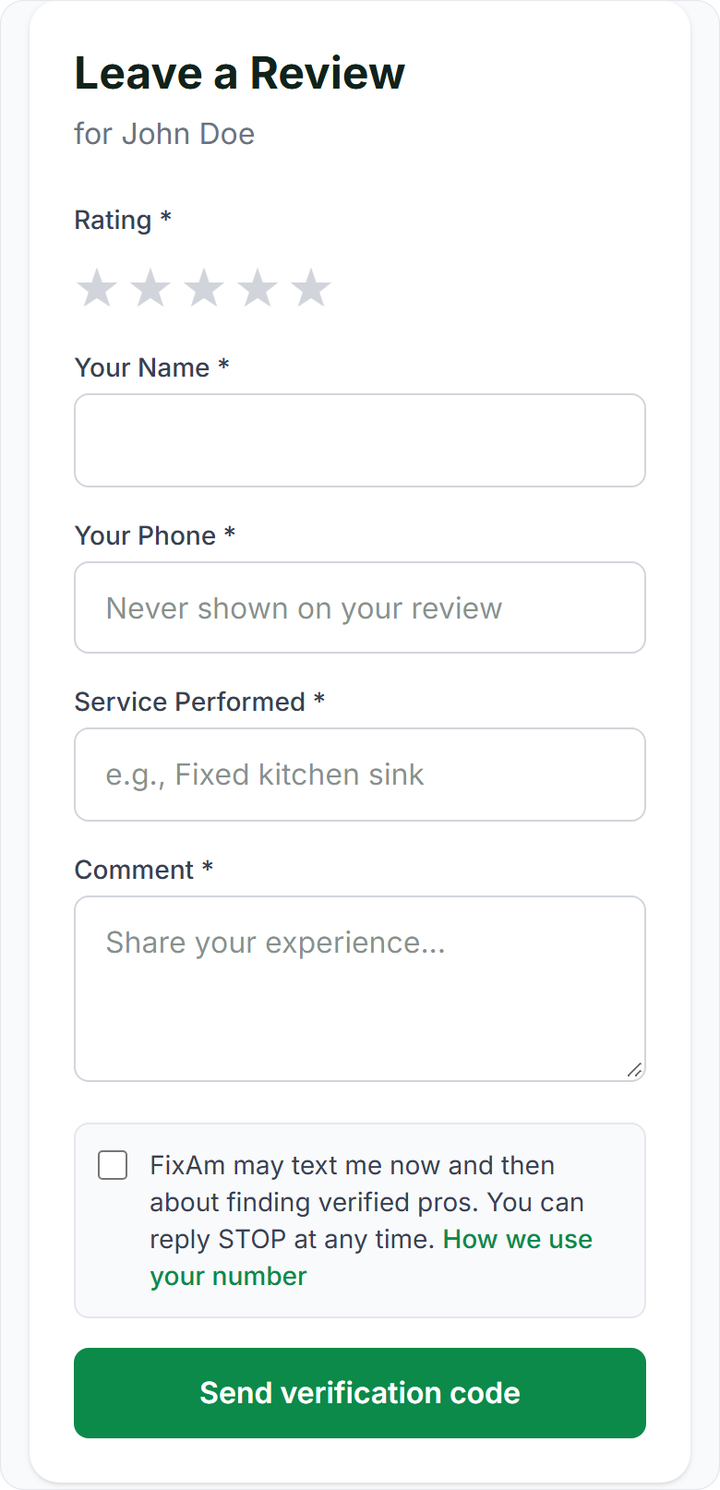
Below the form there is a box about texts from FixAm. It is unticked. Leave it unticked if you do not want messages. Tick it only if you are happy for FixAm to text you now and then about finding verified pros. You can reply STOP at any time.
Good reviews are specific. "Came on time, explained the fault, fixed it in an hour, price as agreed" helps other customers more than "Good".
Confirm with the SMS code
- Tap Send verification code.
- A text arrives with a 6-digit code. It works for 10 minutes.
- Type the code in the code box and tap Submit Review.
No code? Check the number you typed, wait a minute, then tap Resend code.
The code is how FixAm keeps reviews honest. Every review comes from a real phone, and one phone number can review the same pro once in 60 days. Pros cannot review themselves.
What is shown and what stays private
Shown on the pro's profile: the name you typed, your stars, the job and your comment. The pro can reply in public under your review.
Never shown: your phone number. Only the FixAm team can see it.
Reviews for a business page work the same way. Open the business page and tap Write a review. Business reviews stay separate from the owner's personal reviews.
Changing a review
You cannot edit or delete a review yourself once it is posted. Think it through before you tap Submit.
Need it changed or removed? Contact the FixAm team on WhatsApp at +233 24 055 5040 or email hello@fixam.pro, from the phone number you used for the review, so the team can find it. Details are on the support page.
If the problem was serious, such as fraud, theft or threats, a review is not enough. Report the provider so the FixAm team can act.