

How to Find a Verified Pro Near You
Search FixAm by trade and area, compare ID-verified pros by reviews and work photos, then contact them directly. No account and no booking fee.
FixAm works like a directory of tradespeople whose identity has been checked. You search by trade and area, compare profiles, and contact the pro you choose by WhatsApp or phone. You do not need an account, and FixAm charges you nothing. Every pro you see in the results has passed a Ghana Card and selfie check by the FixAm team.
Search by trade and area
On the website:
- Go to Find a pro on fixam.pro.
- Choose the trade, for example Plumber, under All Categories.
- Choose your area, for example East Legon, under All Areas.
- Tap Search. Tap View profile on any pro to see more.
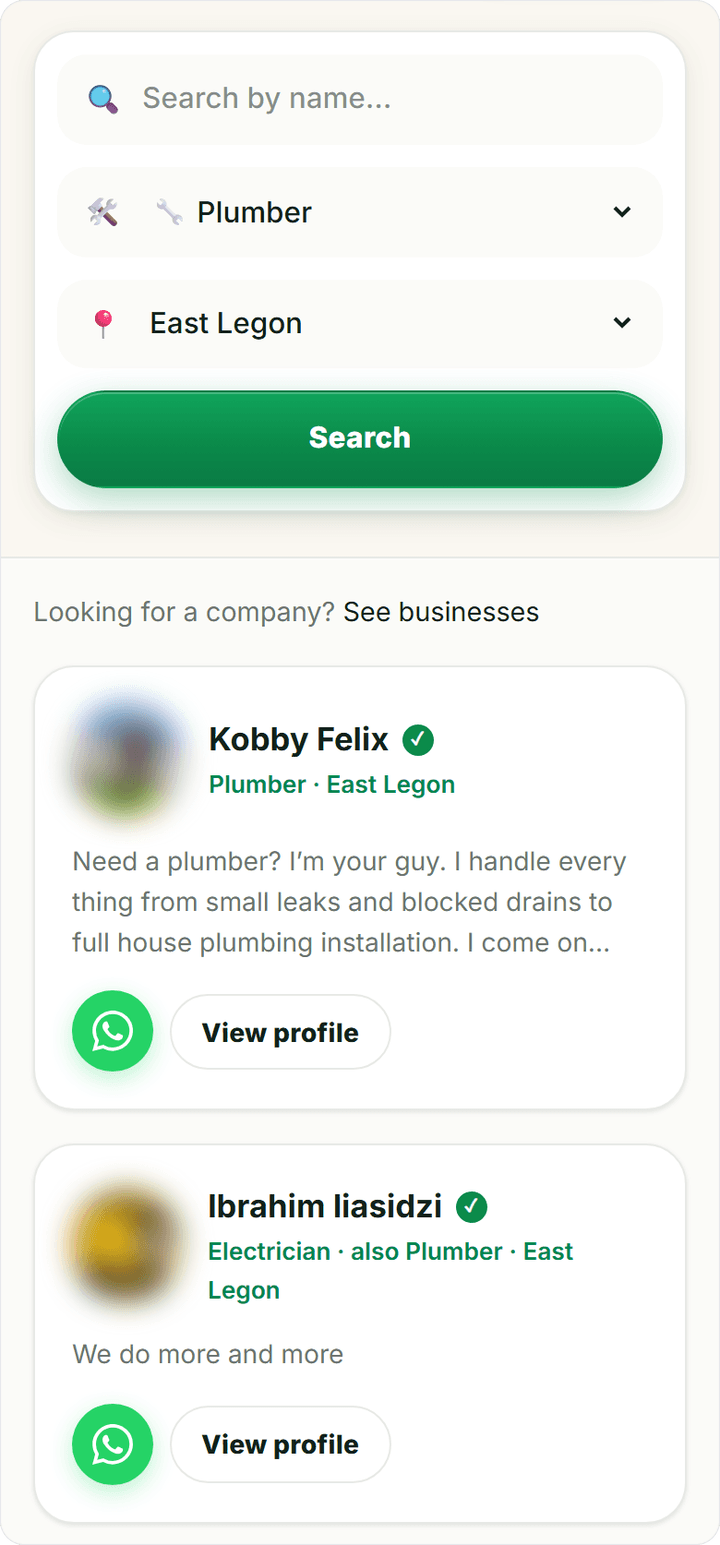
You can also type a name in Search by name... if someone recommended a pro to you.
Prefer to browse? All services lists every trade on FixAm, from electricians and masons to P.O.P installers and hairdressers. Each trade page shows pros by area and typical prices.
In the FixAm app: tap the Search tab, then set the trade and area at the top of Find a Pro. The Services tab lets you browse by trade instead.
No results in your area? Try the nearest bigger area, or clear the area to see every pro in that trade.
Read a profile in 30 seconds
Open two or three profiles before you decide. Look at these, in this order:
- The badges. A green tick or ID-verified badge means the FixAm team checked this person's Ghana Card and selfie. A gold Certified badge means a trade certificate was checked too. What the badges mean explains each one, and what they do not promise.
- Reviews. Look at the rating and the number of reviews, then read a few. Every review is confirmed by an SMS code to the reviewer's phone. Ten reviews say more than one five-star review.
- My Work. Photos of real jobs the pro has done, checked by the FixAm team before they show.
- Services and Service Area. Make sure they do the job you need, where you live.
- Available or Busy. A pro marked Busy may have a date when they are free again.
When you are ready, tap WhatsApp or Call on the profile. Contact a pro on WhatsApp or by phone has a first message you can copy and tips for a clear quote.
One person or a business
Most pros on FixAm work for themselves. Some run a company, with a team, a shop or a registered business name.
If you want a company, for example for a bigger building job or an office contract, look for Looking for a company? on the search page and tap See businesses. It works the same in the app. Business pages are run by ID-verified pros, and the FixAm team checks each business's registration certificate before the page goes live. Find a registered trade business explains how to compare them.